


Introduction
If you want to know how to manage remote employees effectively, start with one fact: remote work can improve output, but only when your operating system is clear. Gallup has consistently found that engagement drives performance, and remote teams lose engagement fast when expectations, communication rhythms, and accountability are vague. In other words, remote work is not the problem. Weak management design is.
Table of Contents
In this guide, you’ll learn how to manage remote employees effectively with a repeatable system you can use across operations, customer support, finance, marketing, and admin roles. Additionally, you’ll see which tools matter, which mistakes create drag, and how to build a remote management model that scales without pulling you back into daily firefighting.
What Is How to Manage Remote Employees Effectively?
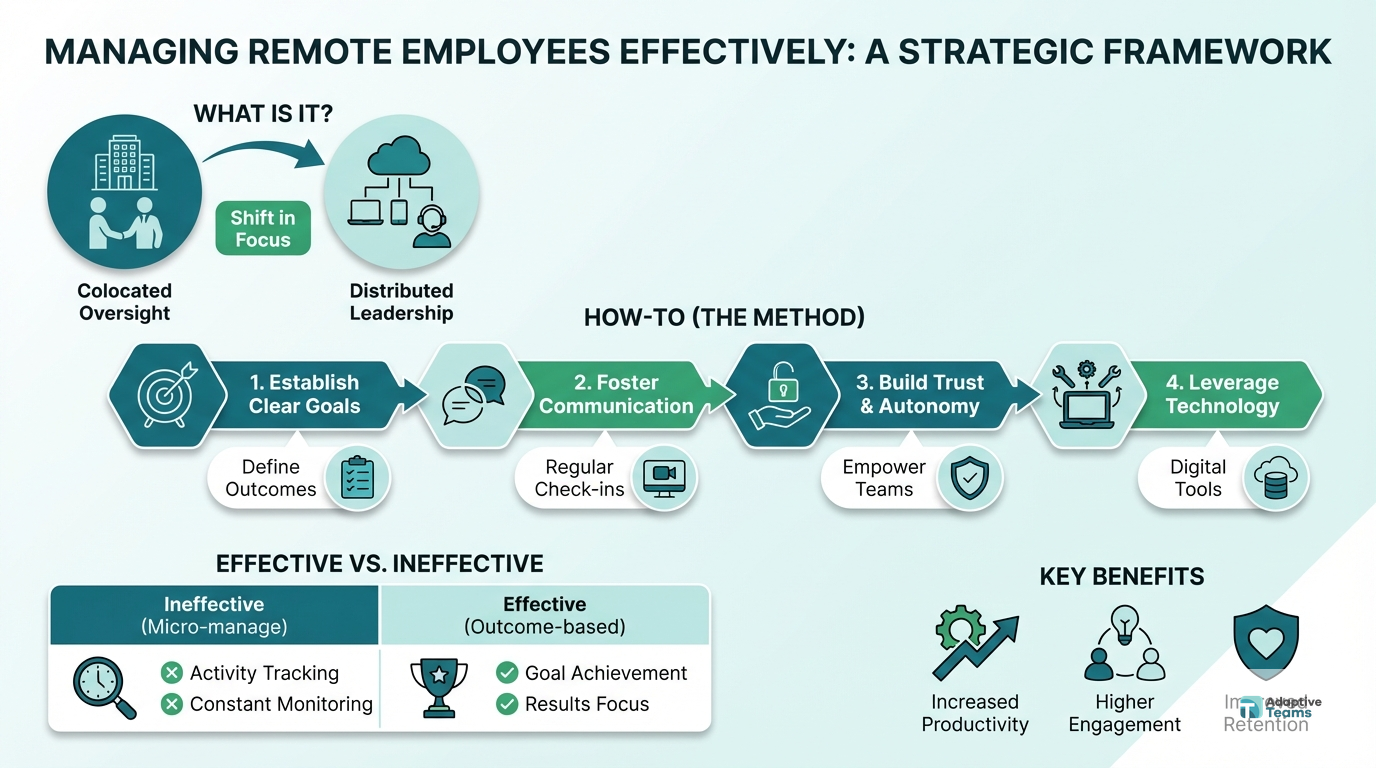
At a practical level, how to manage remote employees effectively means creating a structure where people know what success looks like, how work gets reviewed, when communication happens, and what support is available when blockers appear. It is not about tracking every click. Instead, it is about managing outcomes, behaviors, and operating cadence.
For you, this matters because remote teams can either expand capacity or multiply chaos. According to Owl Labs, flexibility remains one of the strongest drivers of retention in distributed teams. However, retention drops when managers rely on ad hoc check-ins, unclear priorities, or inconsistent feedback. That is why learning how to manage remote employees effectively is really about reducing operational drag.
You also need to account for today’s reality. Distributed hiring lets you access wider talent pools, lower time-to-fill, and build follow-the-sun coverage. LinkedIn hiring data and global staffing trends keep showing that remote roles attract more applicants. As a result, companies that manage well gain leverage faster.
How It Works
To build an effective remote management system, think in terms of a management loop instead of isolated tasks. First, you define outcomes. Next, you give employees the context and tools to execute. Then, you review progress on a predictable cadence. Finally, you coach, correct, and improve the system.
The remote management loop
- Set role clarity. Define responsibilities, targets, response-time standards, and decision rights.
- Translate work into visible workflows. Put tasks, owners, due dates, and priorities into one shared system.
- Create meeting rhythms. Use daily, weekly, and monthly check-ins for different decision types.
- Measure output, not activity. Track scorecards, quality, deadlines, and business results.
- Coach consistently. Use feedback loops to improve performance before small problems become expensive.
- Document processes. Capture SOPs, training notes, and escalation paths so work survives turnover.
For example, if you manage a remote support lead, you should not rely on “stay on top of tickets” as direction. Instead, define targets for first-response time, CSAT, escalation accuracy, and daily handoff quality. Therefore, the employee knows what to optimize and you know what to review.
Key Benefits
When you master remote team management, you gain more than flexibility. You build a stronger operat
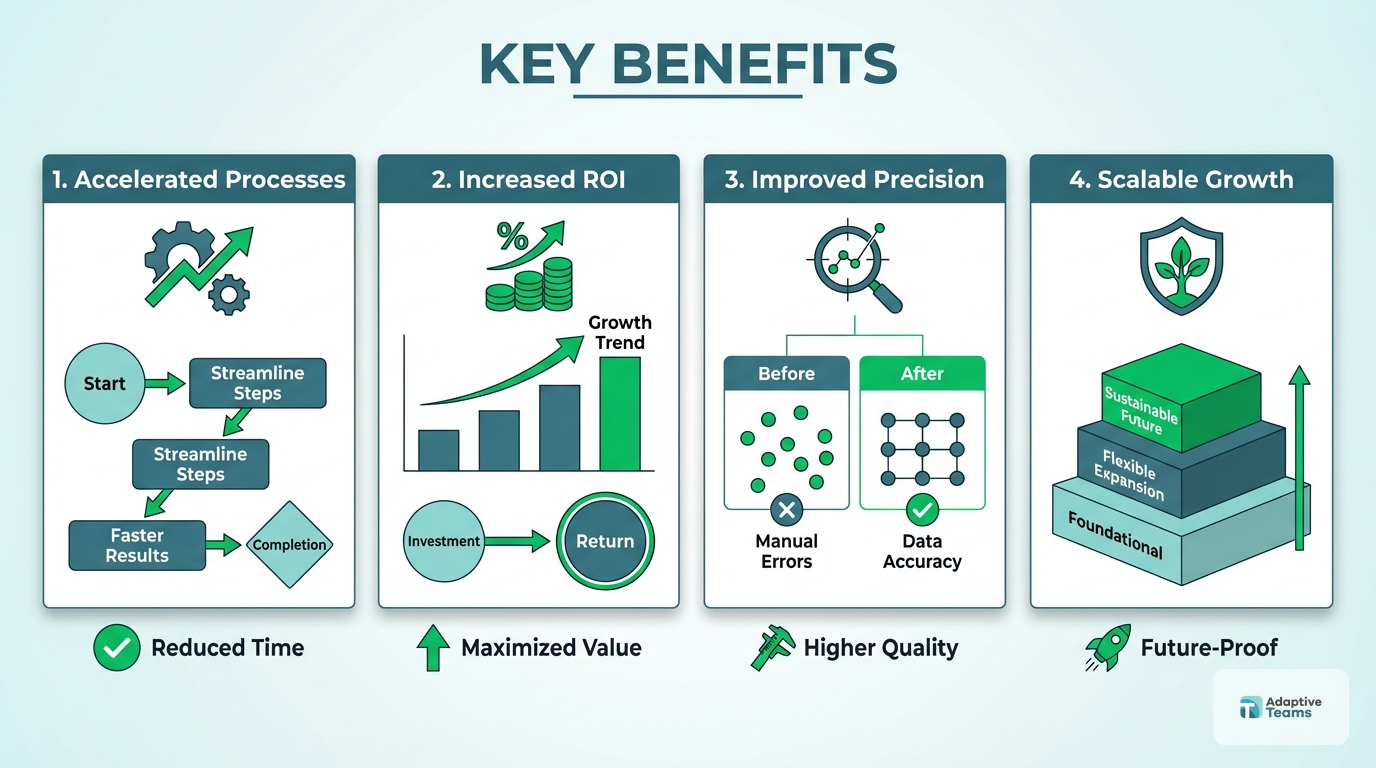
ing model.
Better accountability
- Clear scorecards reduce ambiguity. As a result, you spend less time chasing updates and more time coaching performance.
Faster hiring leverage
- Remote hiring expands your talent pool. Therefore, you can fill roles faster than in narrow local markets, especially for operations and support functions.
Higher retention
- Employees stay longer when expectations, communication, and feedback are consistent. Additionally, flexibility is a strong retention advantage in competitive hiring markets.
Lower management drag
- Standardized workflows reduce Slack chaos, meeting overload, and duplicate work. In fact, documented systems often improve output more than extra headcount.
Easier scaling across functions
- Once your remote management system works in one team, you can apply it to finance, customer support, recruitment, and back-office operations.
Improved visibility
- Dashboards, weekly reviews, and process documentation make risks visible earlier. Consequently, you can solve performance issues before they affect customers or margin.
Better continuity during turnover
- When your SOPs, QA rules, and handoff systems are documented, one departure does not break the function.
Step-by-Step Guide
If you are serious about how to manage remote employees effectively, follow these steps in order. Each one removes a common failure point.
Step 1: Define the role in measurable terms
Start with outputs, not personality traits. For example, a remote executive assistant might own inbox triage time, meeting accuracy, travel planning accuracy, and weekly follow-up completion. Because the role is measurable, feedback becomes objective.
Step 2: Build one source of truth for work
Next, choose one task system for all active priorities. That could be Asana, ClickUp, Monday.com, or another workflow tool. However, the rule matters more than the platform: if work is not in the system, it is not committed.
Step 3: Set communication rules by channel
Remote teams fail when every message feels urgent. Therefore, define what belongs in chat, email, project boards, and meetings. For instance, chat can handle quick clarifications, while project boards should hold deadlines, ownership, and status updates.
Step 4: Install a weekly management cadence
Use recurring touchpoints for predictable reviews. A strong baseline includes a daily async update, a weekly 1:1, and a weekly team planning session. Additionally, run a monthly performance review focused on trends, blockers, and development.
Step 5: Review performance using scorecards
Do not wait for frustration to build. Instead, review delivery quality, speed, communication, and initiative against predefined metrics. If the role is customer-facing, add service metrics. If the role is operational, add throughput and error-rate metrics.
Reduce Remote Management Overhead
Build a structured staffing system with recruiting, HR, payroll, and performance support already in place.
Step 6: Document the work as it happens
Create SOPs for recurring tasks, exception handling, and approvals. As a result, you reduce training time and protect continuity if someone is out or leaves. Short screen recordings plus written checklists usually work better than long manuals.
Step 7: Coach early and specifically
When performance slips, address it with examples, not general frustration. For example, say “handoff notes missed 3 critical details this week” instead of “communication needs work.” Specific coaching is faster, fairer, and easier to improve.
Step 8: Track engagement and retention risk
Finally, watch for missed updates, lower responsiveness, reduced initiative, or avoidable mistakes. These often signal overload, confusion, or disengagement before formal attrition risk appears. Therefore, strong managers treat behavioral changes as operating data, not personal failure.
Best Tools & Resources
You do not need a bloated stack to manage remote teams well. You need a few tools with clear jobs.
Project management platform
Use Asana, ClickUp, or Monday.com to assign owners, dates, dependencies, and status. This gives you operational visibility without micromanaging people.
Team communication tool
Use Slack or Microsoft Teams for rapid coordination. However, keep decision-making and deadlines out of chat where possible.
Documentation system
Use Notion, Confluence, or Google Docs to store SOPs, onboarding guides, and meeting notes. Consequently, new hires ramp faster and managers answer fewer repeat questions.
Meeting and recording tools
Use Zoom, Google Meet, and Loom to support 1:1s, training, and async walkthroughs. Loom is especially useful when a process needs visual context.
Workforce support partner
If you are scaling quickly, a managed staffing partner can reduce hiring and HR drag. Adaptive Teams helps you combine recruiting, payroll, performance support, and compliance in one operating layer.
Common Mistakes to Avoid
Even leaders who understand remote management still make avoidable mistakes. Usually, the issue is not intent. It is system design.
Mistake 1: Managing by availability
If you reward whoever replies fastest, you train people to signal presence instead of progress. Avoid this by measuring outputs, deadlines, and quality.
Mistake 2: Keeping priorities in your head
When managers verbalize priorities but never document them, teams drift. Therefore, publish weekly goals and task ownership in one visible place.
Mistake 3: Overloading meetings
Too many calls destroy deep work. On the other hand, too few structured reviews create misalignment. Use meetings for decisions, coaching, and planning — not status theater.
Mistake 4: Giving vague feedback
“Be more proactive” is not usable guidance. Instead, tie feedback to examples, expectations, and the next behavior you want to see.
Mistake 5: Ignoring cultural and time-zone design
Distributed teams need explicit overlap windows, escalation paths, and communication norms. If you skip that design, delays and resentment build quickly.
Advanced Tips & Strategies
Once you know the basics of remote team management, move into higher-leverage practices that improve scale and resilience.
Build role-specific dashboards
Create simple dashboards for each role or team. For example, support teams can track SLA, CSAT, and backlog. Recruiters can track time-to-source, interview-to-offer ratio, and accepted offers. This turns management from opinion into reviewable data.
Separate management from task assignment
Managers often become dispatchers. However, high-performing remote teams use clear planning and automation systems so managers can focus on coaching, prioritization, and problem-solving. That shift improves output and reduces founder dependency.
Design for asynchronous execution
Ask yourself which decisions truly need live discussion. Then move the rest into written briefs, Loom walkthroughs, and standardized templates. As a result, your team wastes less time coordinating across time zones.
Use 30-60-90 day performance plans
For new remote hires, define what success looks like after 30, 60, and 90 days. This creates momentum, clarifies ramp expectations, and exposes onboarding gaps quickly.
Link management to retention economics
Replacing a trained employee costs time, recruiting effort, onboarding hours, and lost output. Therefore, every management improvement that reduces turnover also protects margin.
Frequently Asked Questions
How often should you check in with remote employees?
For most roles, a daily async update and a weekly 1:1 work well. Additionally, monthly performance reviews help you spot patterns early. The exact cadence depends on role complexity, seniority, and how much cross-functional coordination the job requires.
What is the best way to measure remote employee performance?
The best approach is to measure outputs tied to the role. That can include deadlines hit, quality scores, response times, revenue impact, task completion, or customer outcomes. In other words, focus on business results instead of keyboard activity.
How do you manage remote employees in different time zones?
First, define overlap hours for collaboration. Next, document what can be handled asynchronously and what requires live escalation. Finally, create clear handoff rules so work moves forward even when the next team member starts later.
Should you monitor remote employees with tracking software?
In most cases, output-based management works better than surveillance. Tracking tools can damage trust if they replace clear goals and accountability. However, time tracking may help in specific hourly or compliance-sensitive workflows when expectations are transparent.
How do you keep remote employees engaged?
Engagement improves when people understand goals, receive fast feedback, and see how their work affects the business. Therefore, managers should connect tasks to outcomes, recognize wins, and remove blockers quickly.
What is the biggest mistake in remote team management?
The biggest mistake is assuming remote work fails because people are not in the office. In practice, the problem is usually unclear systems. When roles, priorities, and review cadences are weak, location only exposes the weakness faster.
Next Steps
If you want to master how to manage remote employees effectively, do not start with more meetings or more software.
To manage remote employees effectively at scale, you need operating rules that remove ambiguity before it turns into missed deadlines or turnover. Start with role clarity, scorecards, documented workflows, and a weekly management rhythm. Then improve visibility, coaching, and onboarding one layer at a time.
That approach gives you better accountability, lower management drag, and stronger retention. If you apply this framework, you will know how to manage remote employees effectively without defaulting to micromanagement. If you want help building that system with recruiting, HR, payroll, and performance support included, book a free staffing consultation. You will spend less time managing chaos and more time scaling capacity.
Ready to Build Your Dream Team?
Book a free staffing consultation with our remote team specialists. No obligations, just actionable insights for scaling your operations.
Related reading: Offshore Staffing Solutions.